Circadian Risk

Enhanced User Interface

Overview

Revolutionizing the Security Assessment Experience

Circadian Risk is a platform for physical-security risk management. When I joined, the interface was built on a generic UI kit (Material UI) but lacked clarity, usability, and real-world polish — particularly for data-intensive tasks such as security assessments, risk reports, and compliance tracking.

My challenge: Turn a complex, cumbersome interface into an intuitive, efficient, and user-centered system that supports both detailed assessments and high-level overviews — without sacrificing power or flexibility.

My solution: Research how real security professionals work → redesign information architecture and dashboard flows → build a modular UI system → prototype, test, and iterate to deliver a platform that aligns with actual user workflows and mental models.

Detailed design files can be reviewed live during an interview process upon request.

UX Project Thumbnail - Circadian Risk
My Role

UX Designer
UI Designer

Company

Circadian Risk

Client

Circadian Risk

Target Users

Security professionals managing physical-security risk, compliance, and assessments

The Challenge

Problem Statement

The original platform:

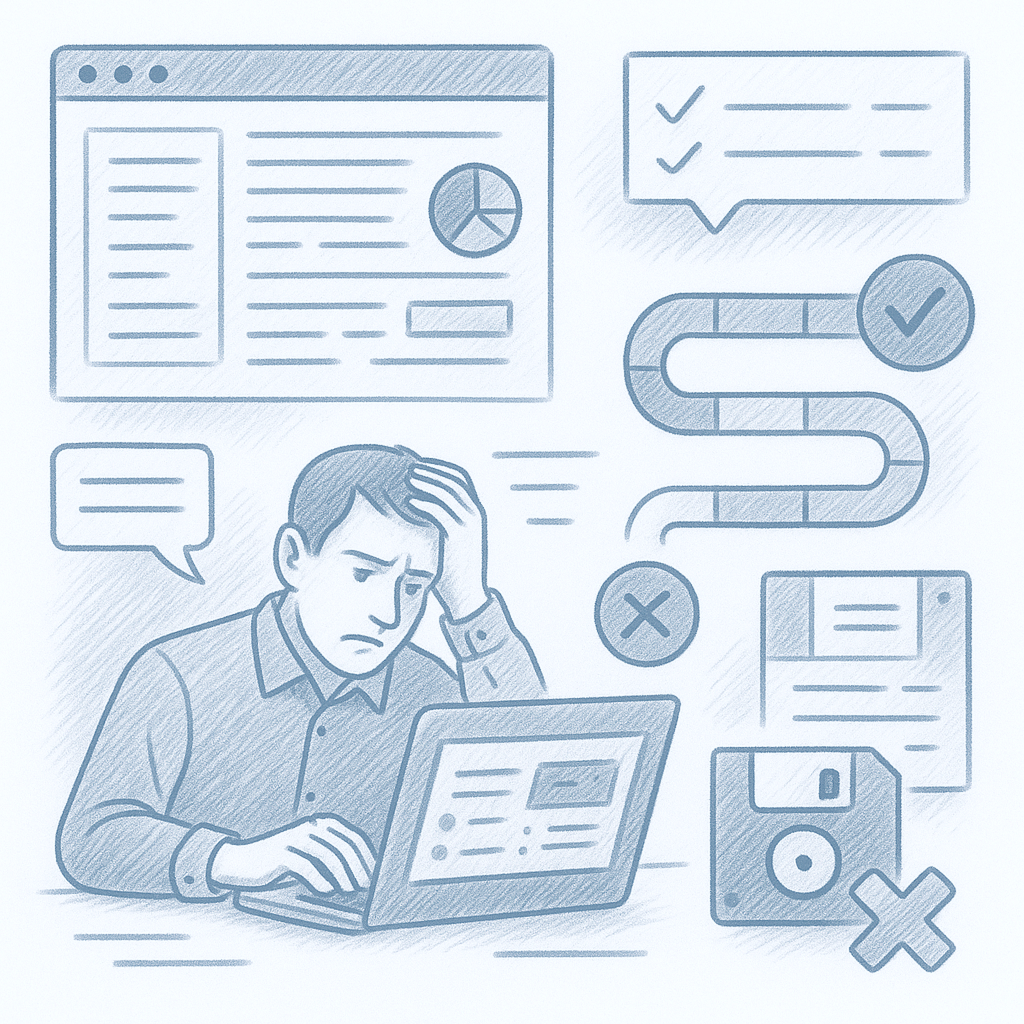
  • Overwhelmed users with cluttered layouts and inconsistent UI components
  • Made it difficult to parse critical data or generate rapid assessments
  • Delivered a steep learning curve and low adoption from new or casual users

Core problem: Security experts needed a tool that reflects how they think — structured, modular, clear, data-driven — but the UI made their jobs harder, not easier.

Who It Serves

Users & Audience

Primary users: Security and risk-management professionals, often juggling compliance, threat analysis, hazard assessments, and reporting.

They require a system that supports:

  • Frequent switching between high-level dashboards and detailed forms
  • Clarity in complex data (hazard levels, compliance checklists, audit history)
  • Quick generation of assessment reports with minimal friction
  • Accessible interface on desktop and tablet (some use mobile for review or light edits)

Through interviews, demos, and workflow mapping, I distilled their needs, pain points, behaviors, and context — grounding design work in real user demands.
Approach

Research & Discovery

We began with a discovery phase:

  • User interviews and workflow shadowing:
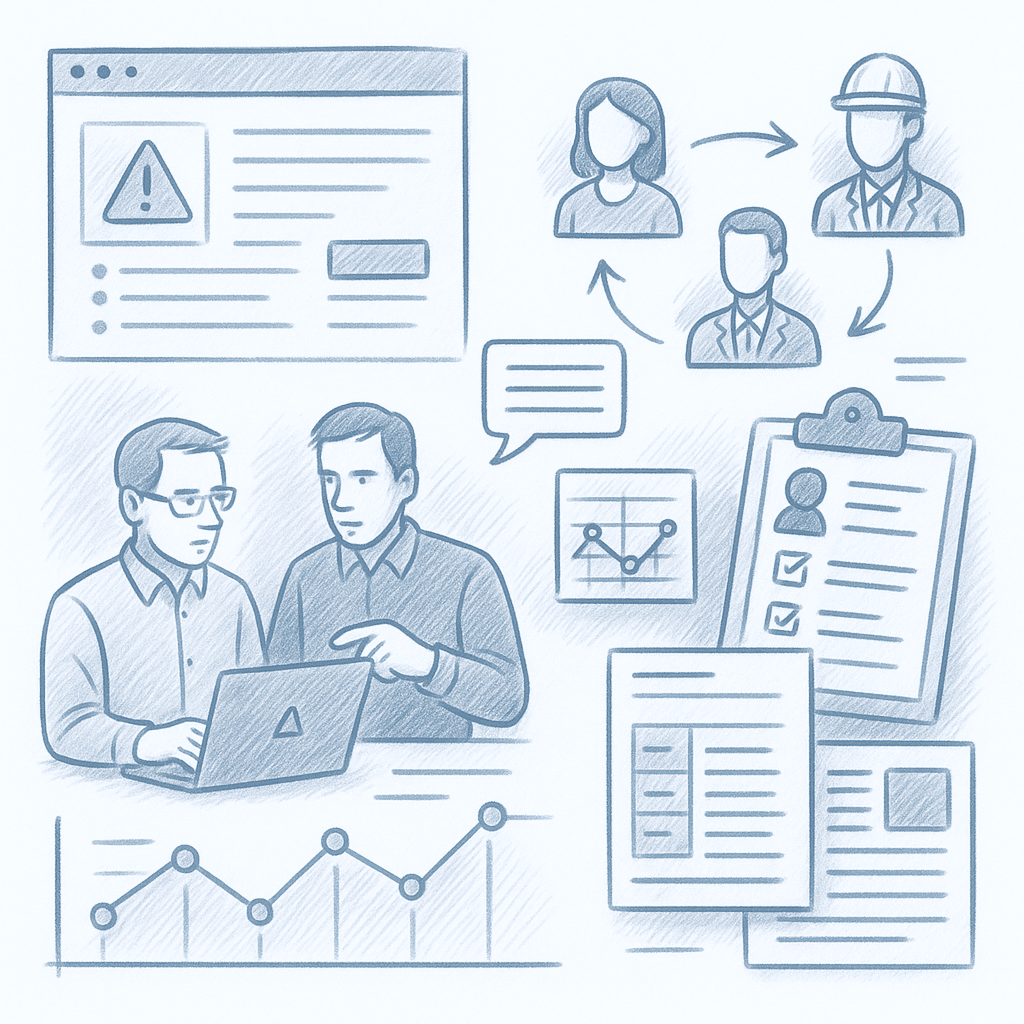
    Spent time with security professionals as they attempted risk-assessments using the existing tool. Observed where they slowed down, got frustrated, or made errors.
  • Persona & journey-map creation:
    Captured typical user roles (e.g. “Compliance Officer”, “Field Auditor”, “Security Manager”) and mapped their goal flows, pain points, and context of use.
  • Content audit & UI review:
    Inventory of all UI patterns, data-heavy pages, repeated user tasks, identifying redundancy, layout inconsistencies, and usability issues.
Findings

Key Insights

We began with a discovery phase:

  • Users repeatedly struggled with visual overload and clunky navigation
  • Important data (risk score, compliance status, dates, notes) were buried below less important UI elements
  • Assessment workflows were long and linear; users needed checkpoints, ability to partially save or skip, and clarity about where they were in a process
Direction

Design Strategy & Ideation

Based on our research, I defined three guiding principles:

  1. Modularity & clarity: Break complex pages into digestible, card-based modules
  2. Flexible workflows: Support linear and non-linear assessment styles (full assessments, quick audits, partial saves)
  3. Data-first visualization: Make critical metrics (risk scores, compliance status, timelines) immediately visible; allow deep-dive when needed

During ideation:

  • Sketched multiple layout variations for dashboard, assessment wizard, and report views
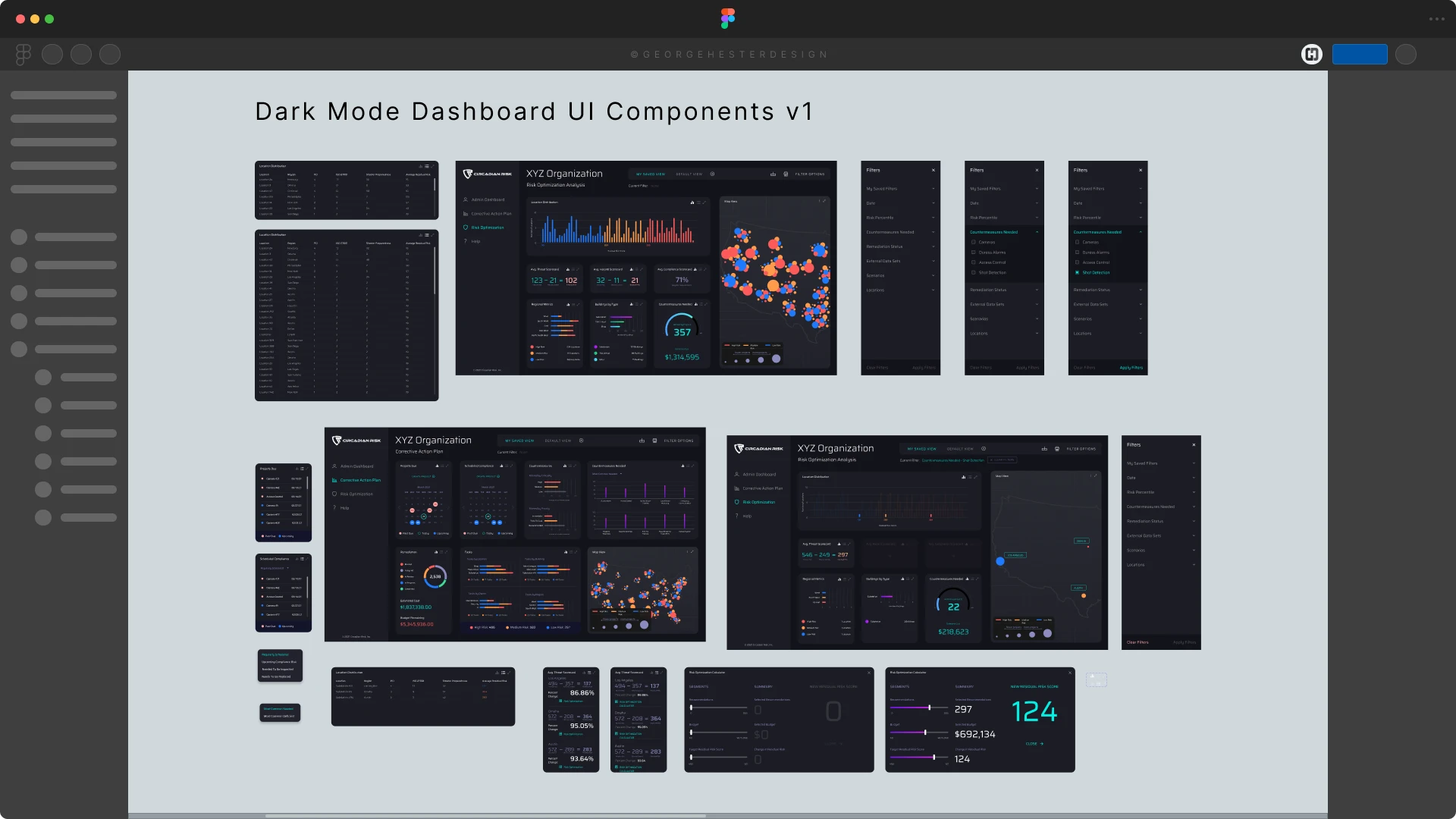
  • Explored dark-mode UI (for late-night use), compact vs expanded panels, modular card layout, collapsible side panels
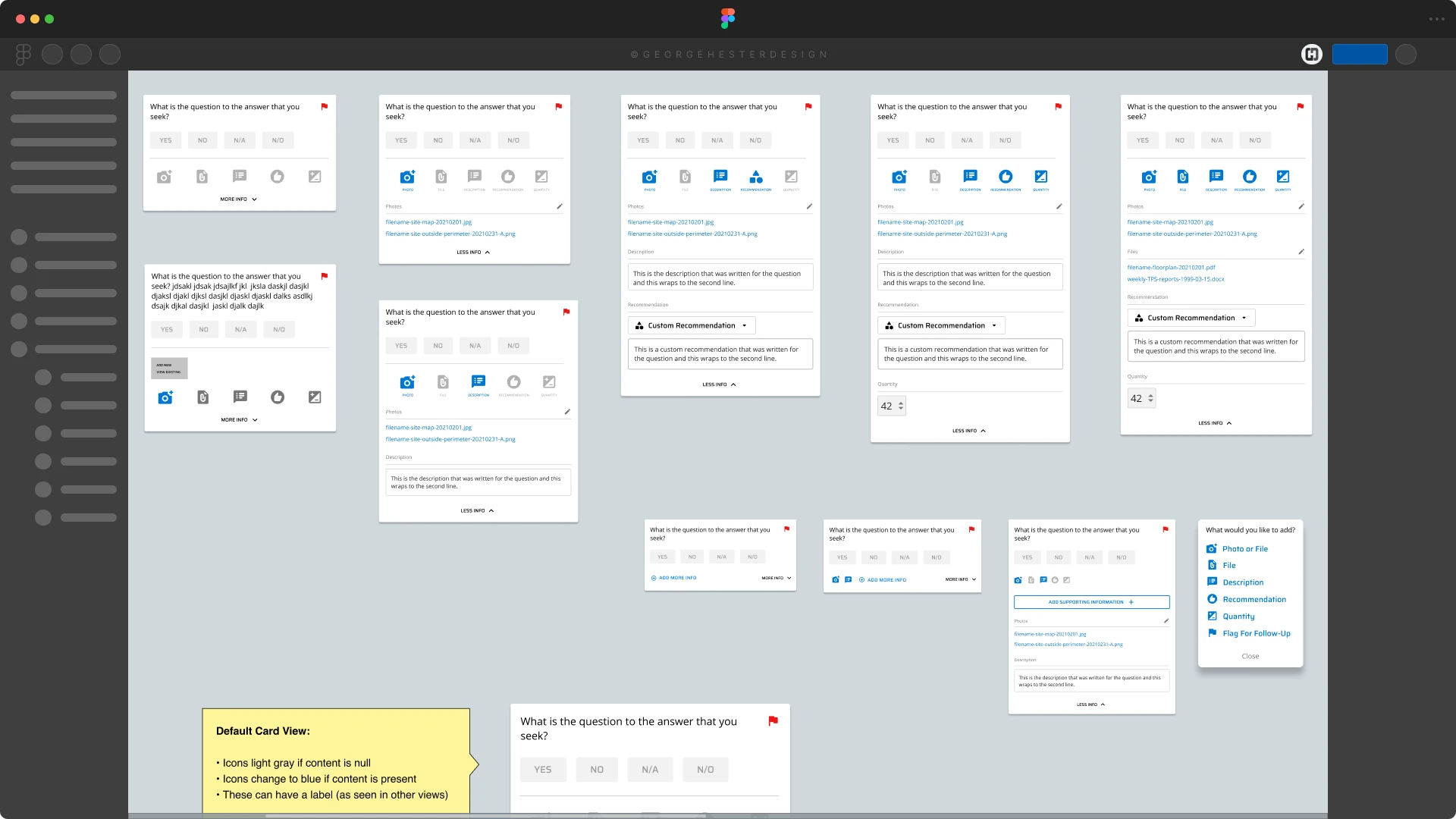
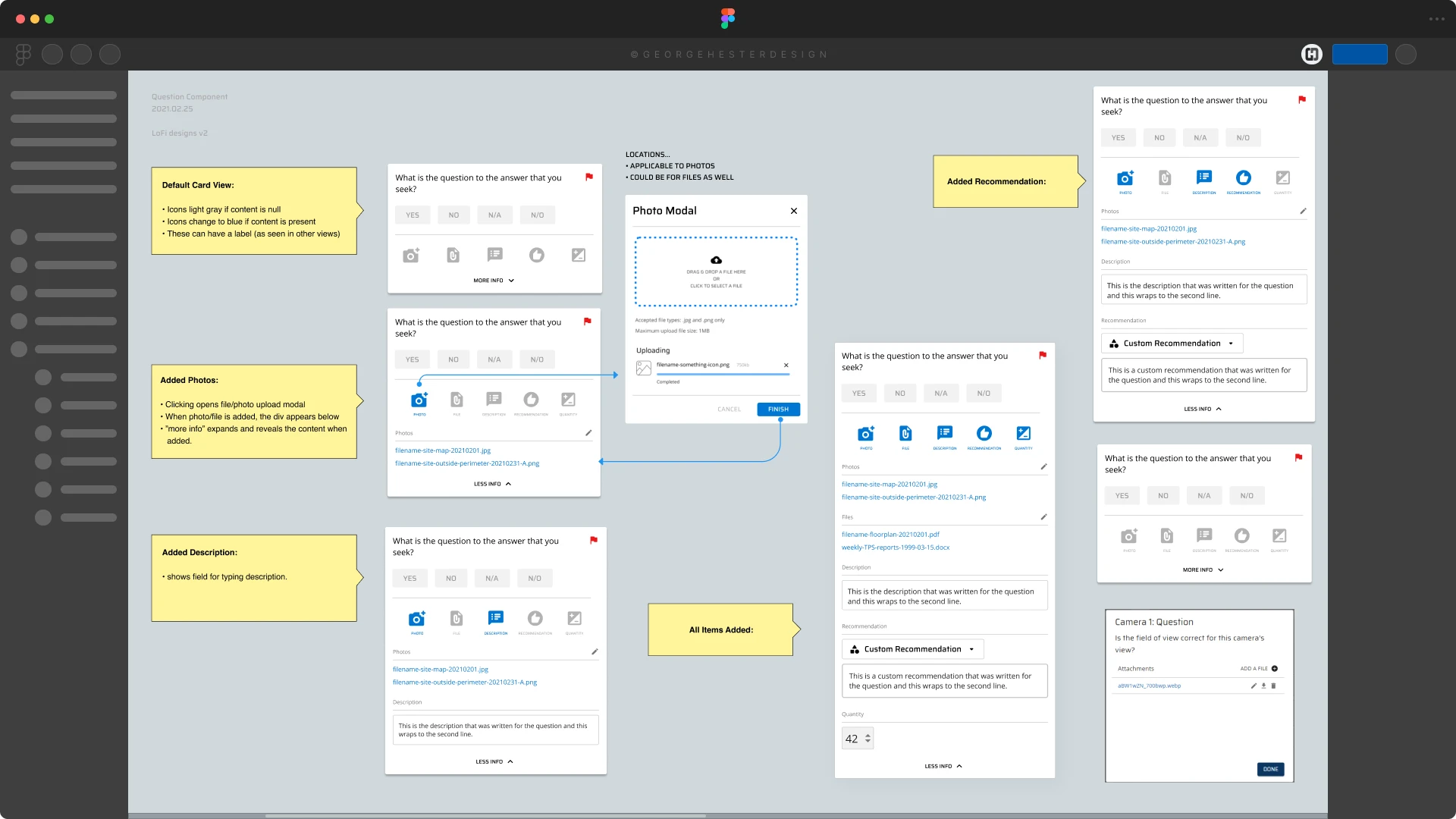
  • Prioritized a “question-card” system for assessments — breaking long forms into manageable chunks, reducing form fatigue
UX Exploration

Wireframes & Prototypes

I built a full set of wireframes in Figma, covering:

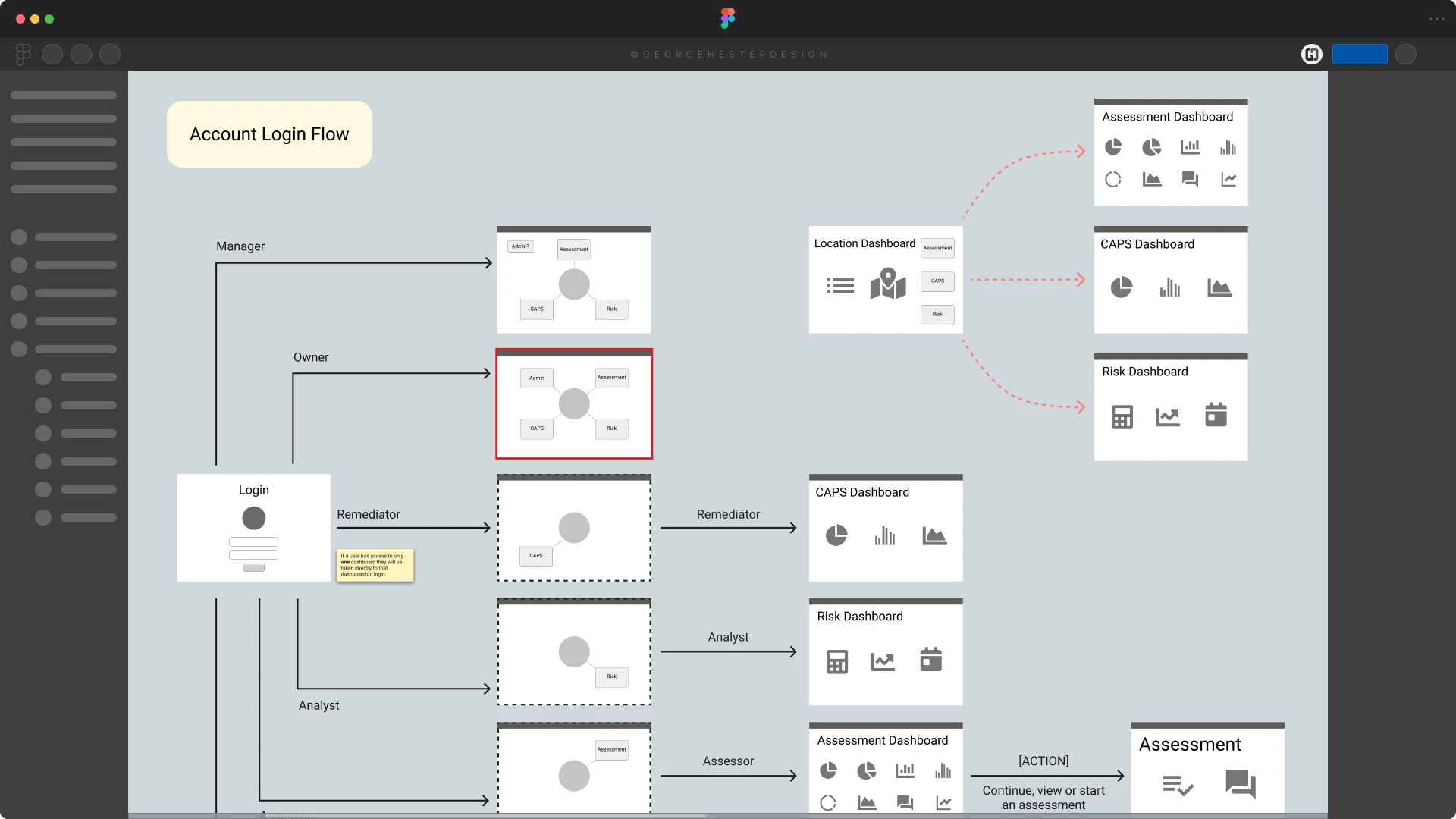
  • Dashboard overview (risk summary, alerts, quick actions)
  • Modular assessment-wizard flows (question-cards, multi-step assessments, save / resume)
  • Data-visualization panels (charts, status grids, compliance reports)
  • Dark/light mode UI components and layout variants
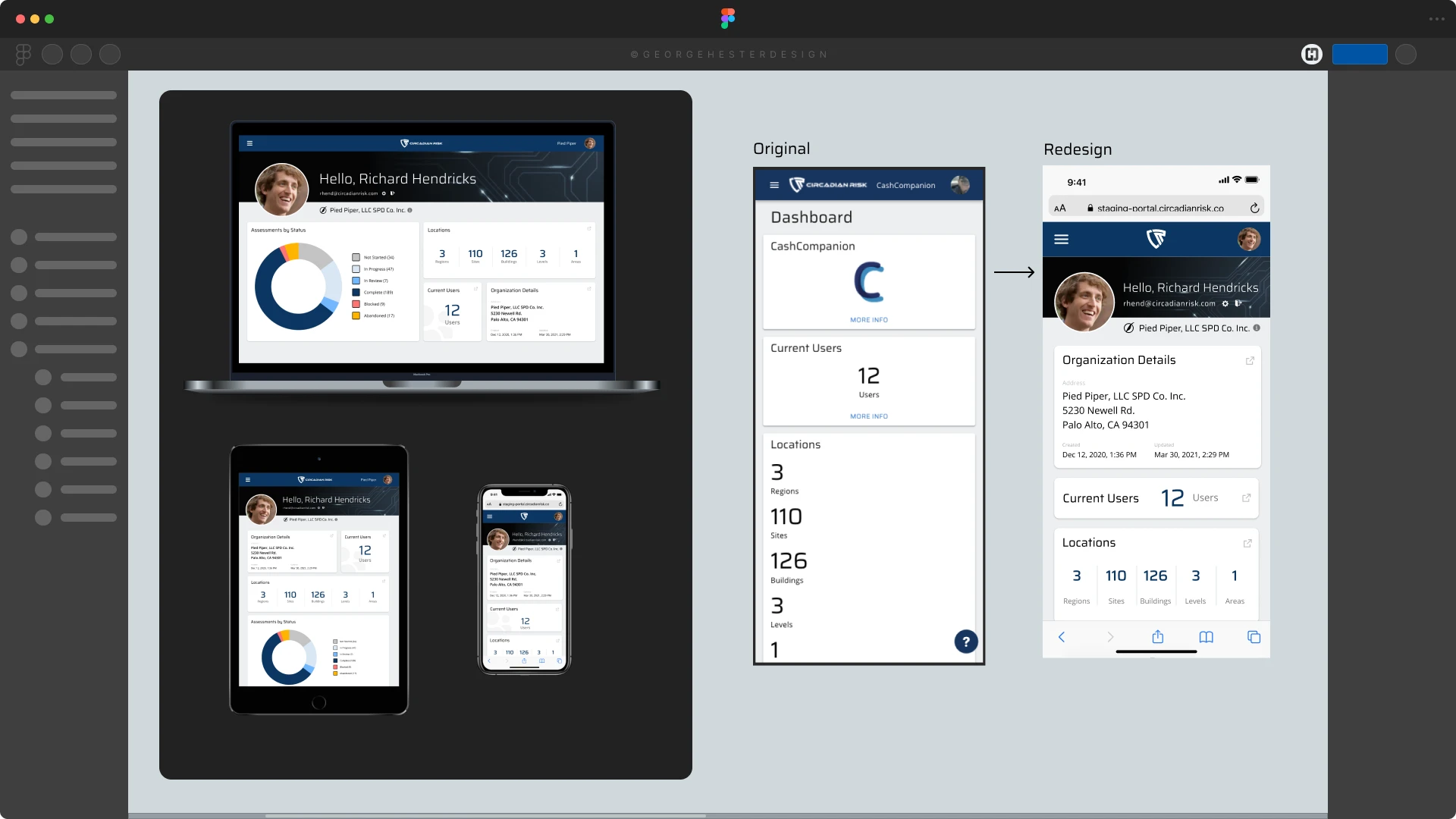
  • Responsive behavior for tablet and mobile (review / minor edits)

Then I turned the wireframes into an interactive prototype to test the flows, layouts, and data visualizations with actual users (security professionals)

Execution

Implementation
(UI Overhaul & System Build)

I built a full set of wireframes in Figma, covering:

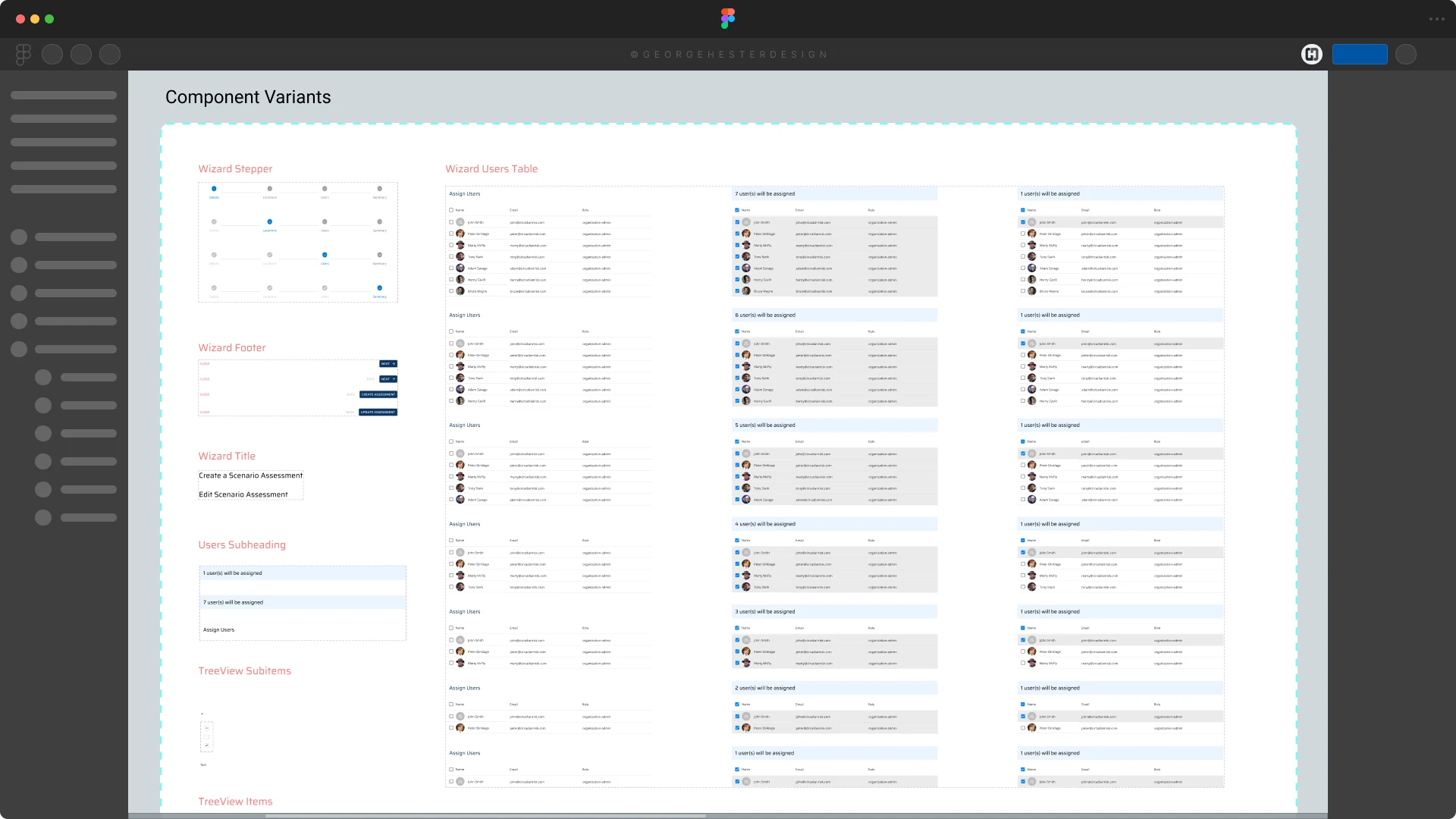
  • Rebuilt the UI using a custom component library, replacing the generic Material UI kit
  • Developed a modular system: reusable cards, input fields, data tables, charts, toggles
  • Created clear, consistent styles for data-heavy pages (spacing, typography, visual hierarchy)
  • Built a multi-step assessment wizard with progressive disclosure, save/resume support, and user-friendly navigation
  • Redesigned dashboard to prioritize high-level summaries → risk alerts → deep-dive options
Validation

Evaluation & Feedback

  • Live user feedback from security professionals praised improved clarity, ease of use, and streamlined workflow. One stakeholder said the redesign “made complex assessments feel manageable”
  • The modular UI system reduced confusion over differing page styles, enabling faster onboarding for new users
  • While full analytics were only trackable post-launch, early qualitative feedback indicated improved usability – less confusion, fewer support tickets, stronger adoption willingness
Outcomes

Results & Impact
(as much as allowed under NDA)

  • Improved user satisfaction and efficiency: Users report the platform feels “structured and manageable,” not chaotic
  • Adopted new UI across the entire product: Assessment, reporting, dashboard, compliance workflows all now follow a unified design system
  • Scalable and maintainable UI architecture: Modular system allows for easier updates and addition of future features without breaking design consistency
  • Accessible, modern UX for security professionals: Data-intensive workflows now feel intuitive rather than overwhelming

(Exact metrics and internal data are withheld due to client NDA. Detailed files and full visual assets are available for review during live interviews.)

Deliverables

What I Delivered

  • Discovery research (user interviews, workflow mapping)
  • Personas & user journeys
  • Complete wireframe set (desktop, tablet, mobile)
  • Interactive design prototype
  • Full UI component library / design system
  • Dashboard & assessment-wizard redesign (data visualization, modular layouts, responsive behavior)
  • Documentation for development, QA, and future scaling
Takeaways

Reflection & Lessons Learned

  • Modular design pays off: Breaking complex flows into smaller pieces dramatically improves clarity for data-heavy platforms
  • Understand real workflows: Shadowing users and learning their context was crucial; design without context risks looking clean, but being unusable
  • Build for flexibility: Not all users approach tasks linearly; workflows must support different user styles (full audit, quick check, partial save)
  • Maintain UX-first mindset under constraints: Balancing full-featured functionality with usability requires discipline and prioritization
Summary

Final Thoughts

This redesign for Circadian Risk transformed a difficult, cumbersome platform into a scalable, user-centered tool. By grounding the work in real user needs, simplifying layouts, and building a modular system, the final result supports complex security workflows with clarity and ease, proving that even data-heavy enterprise platforms benefit most from human-centered design.

Man sitting at a computer and we are looking over his shoulder
Kudos

"With George's talents in UX and UI design, he led the way in creating a new, more user-centric UI for our platform. He focused on making our design system better and always thought about how to make things work well on mobile. He put people at the center of his design work, making our platform easier to use and better than before. His eye for detail and drive for quality raised the bar for our team. Working with George was awesome, and his efforts have significantly advanced our platform's design and functionality.”
Daniel Y.
Chief Innovation Officer & Founder
Circadian Risk, LLC.